
Build consent forms, intake questionnaires, and consultation forms in minutes. Patients sign on their own device — no printing, no chasing.
Step 01
Drag and drop fields — text, radio buttons, checkboxes, date pickers, and signature fields. Layer your form visually, exactly like your paper version. Import an existing PDF and we'll parse the fields automatically.
Step 02
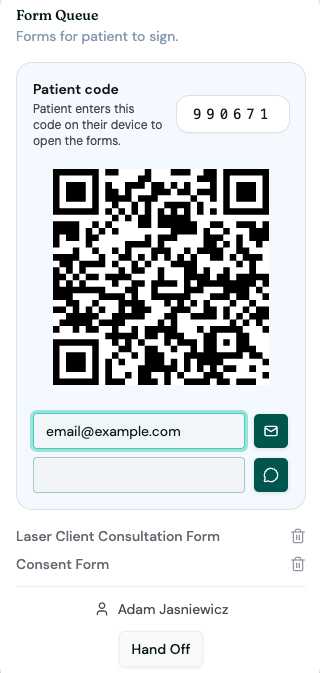
Attach any form to a patient's visit in one click. A unique patient code and QR code are generated instantly. The patient opens it on their own phone — no app download, no login.
Step 03
Completed forms land directly in the patient's chart, timestamped and attached to the visit. Filter by signed, pending, or incomplete — across your entire clinic roster.
Every patient gets a unique 5-digit code and QR code the moment a form is queued. They scan it at the front desk or enter it at home — the right forms open instantly, pre-filled with their details.
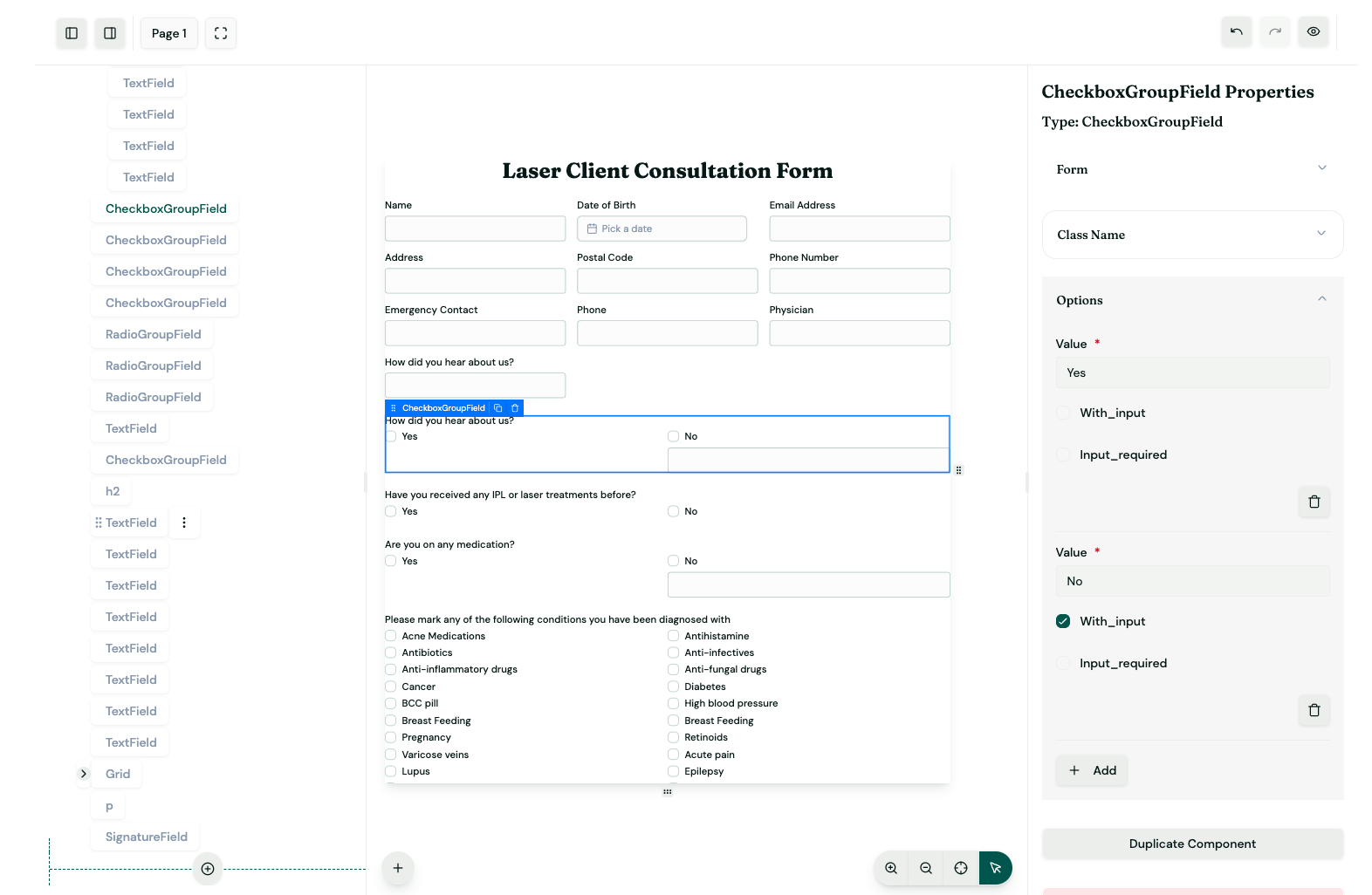
A visual layer-based editor lets you compose forms exactly as they appear — with a live preview as you build. Every field type a clinic needs is supported out of the box.
Queue consent forms directly to a visit type — laser, chiro, aesthetics. The right forms follow the right appointments automatically.
Patients sign directly on their touchscreen. Signatures are time-stamped, tied to the patient record, and stored securely.
Your entire form catalog in one searchable place. Attach any form ad hoc to any patient, any time — not just at intake.
Already have paper forms? Upload them as PDFs and Zdrovia maps the fields automatically — your forms, digital, in minutes.
Can't scan a QR code? Send the form link directly to the patient's phone or inbox with one click — they complete it before they arrive.
All form data is encrypted at rest and in transit. Patient information never touches a third-party server. Built for Canadian healthcare privacy law.
Join clinics across Canada that have ditched the clipboard. Set up your first form in under five minutes.